> For the complete documentation index, see [llms.txt](https://docs.faronics.com/faronics-insight-docs/llms.txt). Markdown versions of documentation pages are available by appending `.md` to page URLs; this page is available as [Markdown](https://docs.faronics.com/faronics-insight-docs/using-faronics-insight/the-insight-teacher-console/assess/view-activity-history.md).
# View Activity History
The Teacher can view the Activity History of a Student in the class, which includes applications used and the keystrokes used in the application, web history (including all websites visited even in incognito/private mode if that setting is enabled; see [Web Filtering](/faronics-insight-docs/using-faronics-insight/the-insight-teacher-console/settings/web-filtering.md) for further information), and alert history (including a list of any alerts for banned words/activities).
{% hint style="info" %}
This action is not available for Assistant Teachers.
{% endhint %}
{% hint style="info" %}
This action can only be performed on a single Student computer.
{% endhint %}
1. Select a Student.
2. Click *Assess*.
3. Click *View Activity History*.

### Application and Keystroke History
Shows a searchable list of all keystrokes performed by the Student. To save the list as a file, click *Export*.
The switch views button gives the option to display the history in column view or detailed view. The detailed view displays all the keystrokes performed by the Student.

Enable *Show All Keystrokes* to see non-alphanumeric keys that were pressed, such as Enter, Backspace, etc.

### Web History
Shows a searchable list of web sites visited by the selected student. To save the list as a file, click *Export*.

### Alert History
Shows a searchable list of all banned activities, such as use of banned words, banned applications, and banned websites. To save the list as a file, click *Export*.

### Task History
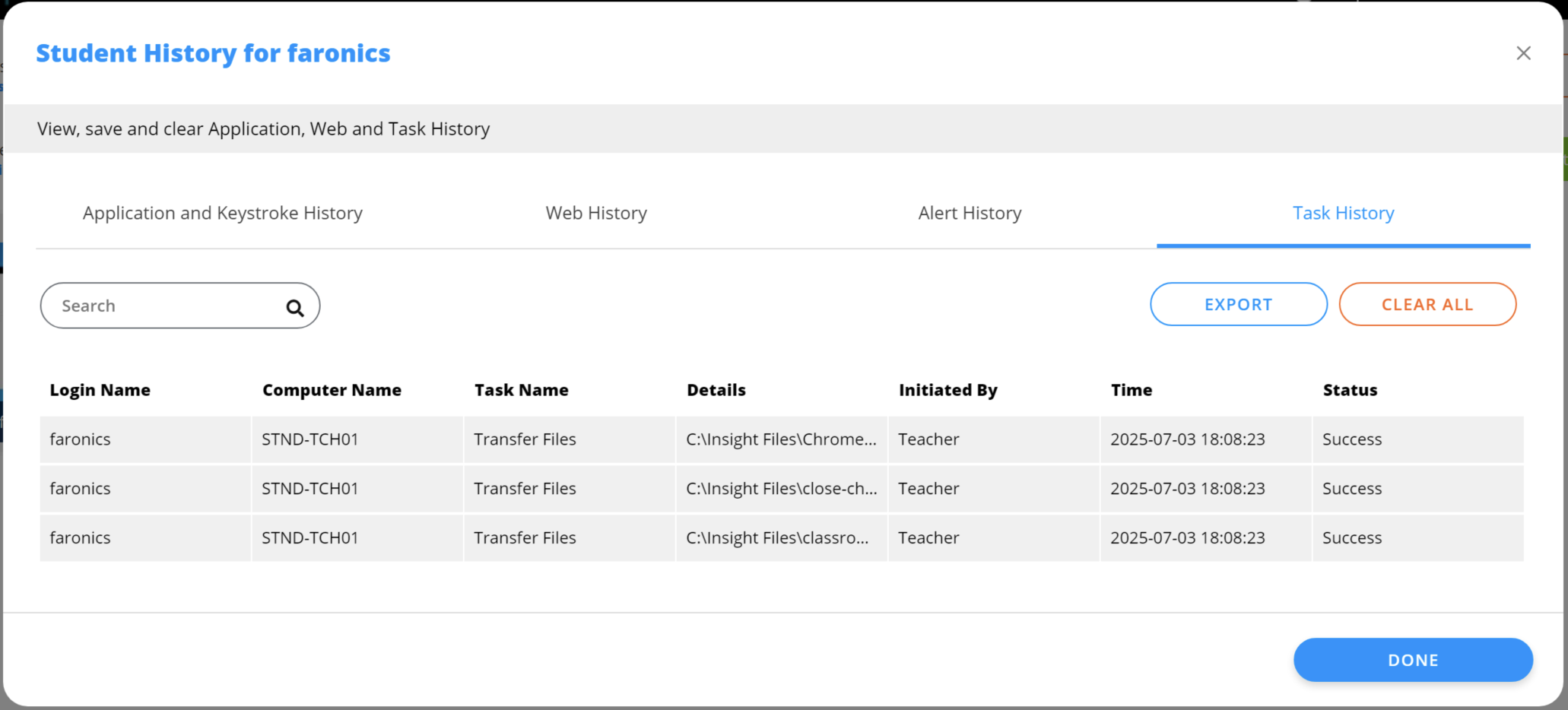
Shows a searchable list of file transfer operations between the Teacher and Student computers. To save the list as a file, click *Export*.
 gives the option to display the history in column view or detailed view. The detailed view displays all the keystrokes performed by the Student.

Enable *Show All Keystrokes* to see non-alphanumeric keys that were pressed, such as Enter, Backspace, etc.

### Web History
Shows a searchable list of web sites visited by the selected student. To save the list as a file, click *Export*.

### Alert History
Shows a searchable list of all banned activities, such as use of banned words, banned applications, and banned websites. To save the list as a file, click *Export*.

### Task History
Shows a searchable list of file transfer operations between the Teacher and Student computers. To save the list as a file, click *Export*.
gives the option to display the history in column view or detailed view. The detailed view displays all the keystrokes performed by the Student.

Enable *Show All Keystrokes* to see non-alphanumeric keys that were pressed, such as Enter, Backspace, etc.

### Web History
Shows a searchable list of web sites visited by the selected student. To save the list as a file, click *Export*.

### Alert History
Shows a searchable list of all banned activities, such as use of banned words, banned applications, and banned websites. To save the list as a file, click *Export*.

### Task History
Shows a searchable list of file transfer operations between the Teacher and Student computers. To save the list as a file, click *Export*.