> For the complete documentation index, see [llms.txt](https://docs.faronics.com/faronics-insight-docs/llms.txt). Markdown versions of documentation pages are available by appending `.md` to page URLs; this page is available as [Markdown](https://docs.faronics.com/faronics-insight-docs/japanese/faronics-insightwosuru/insight-teacherkonsru/she-ding/sheng-tu-qing-bao.md).
# 生徒情報
このオプションを有効にすると、クラス開始時に生徒の名前、電子メール、電話番号の入力を促すメッセージが表示されます。
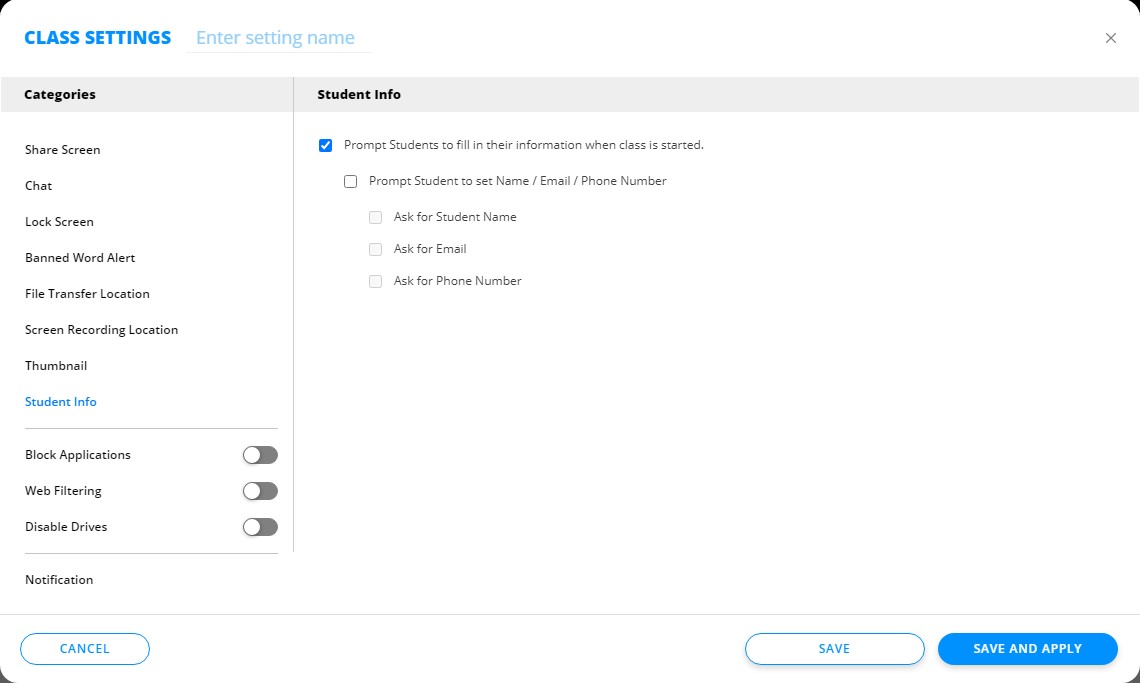
* 左側のメニューにある[生徒情報]をクリックします。
* [クラス開始時に生徒情報の入力を促すプロンプトを生徒に表示]を選択します。
* [名前/電子メール/電話番号の設定を促すプロンプトを生徒に表示]を選び、生徒が提供する以下のいずれか(またはすべて)の情報を選択します。
* 生徒名 – 教師用コンソールの生徒用コンピュータのサムネイルビューにこの名前が表示されます。
* 電子メール
* 電話番号
* [保存]または[保存して適用]をクリックします。
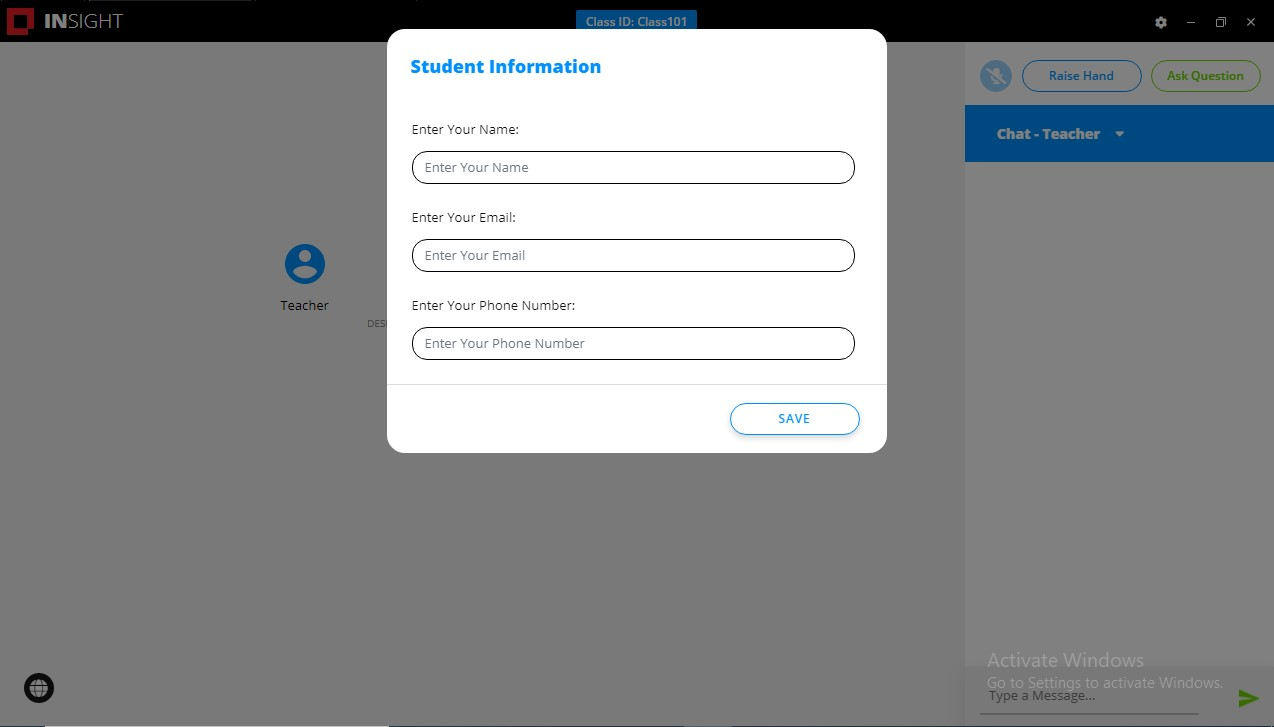
生徒用コンピュータに、生徒が必要な情報を記入するポップアップウィンドウが表示されます。