> For the complete documentation index, see [llms.txt](https://docs.faronics.com/faronics-insight-docs/llms.txt). Markdown versions of documentation pages are available by appending `.md` to page URLs; this page is available as [Markdown](https://docs.faronics.com/faronics-insight-docs/japanese/faronics-insightwosuru/insight-teacherkonsru/fkasu/fkasuapurikshon.md).
# フォーカスアプリケーション
この機能により、教師は選択した生徒のアプリケーションへのアクセスをブロックすることができます。
### 生徒のコンピュータでアプリケーションを制限する方法
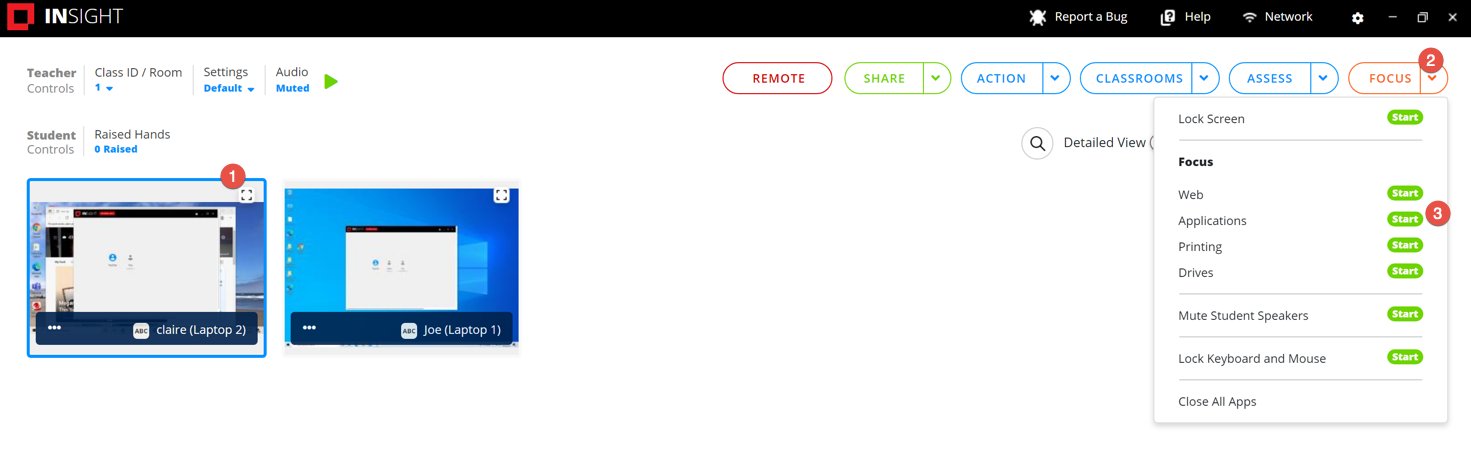
1. 少なくとも1人の生徒を選択してください。
2. [フォーカス]をクリックします。
3. [アプリケーション]オプションの隣にある[開始]をクリックします。
### 生徒のコンピュータでアプリケーションの制限を解除する方法
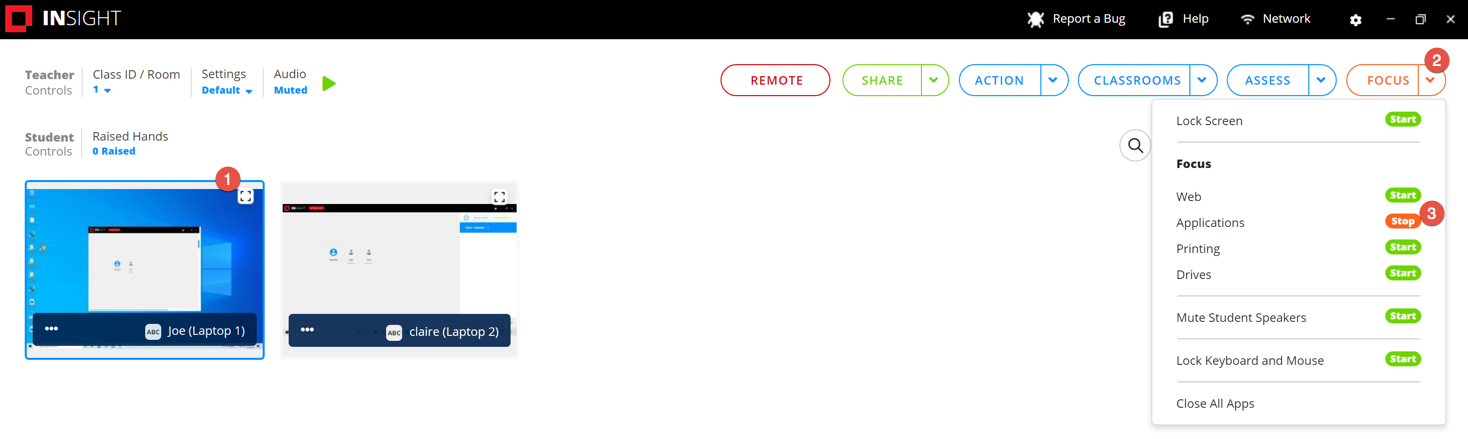
1. 少なくとも1人の生徒を選択してください。
2. [フォーカス]をクリックします。
3. [アプリケーション]オプションの隣にある[停止]をクリックします。