# Lancer l'Application

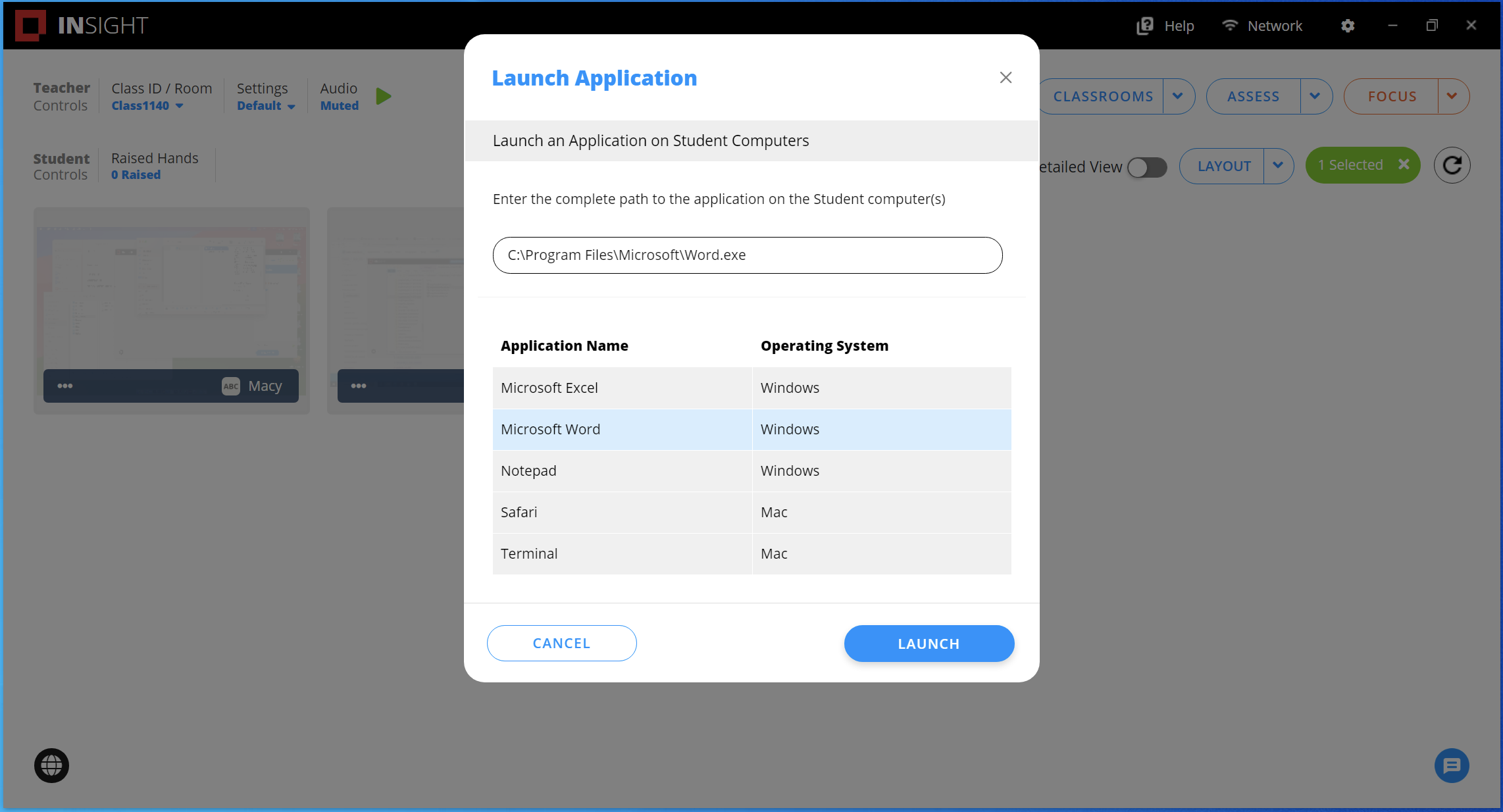
Cette action exécute une application sur les ordinateurs des élèves. Cela peut être utile dans les scénarios où les élèves ont des difficultés à démarrer une application spécifique.

<figure><img src="/files/Ivwi0YnvCo5SSS3cL7EZ" alt=""><figcaption></figcaption></figure>

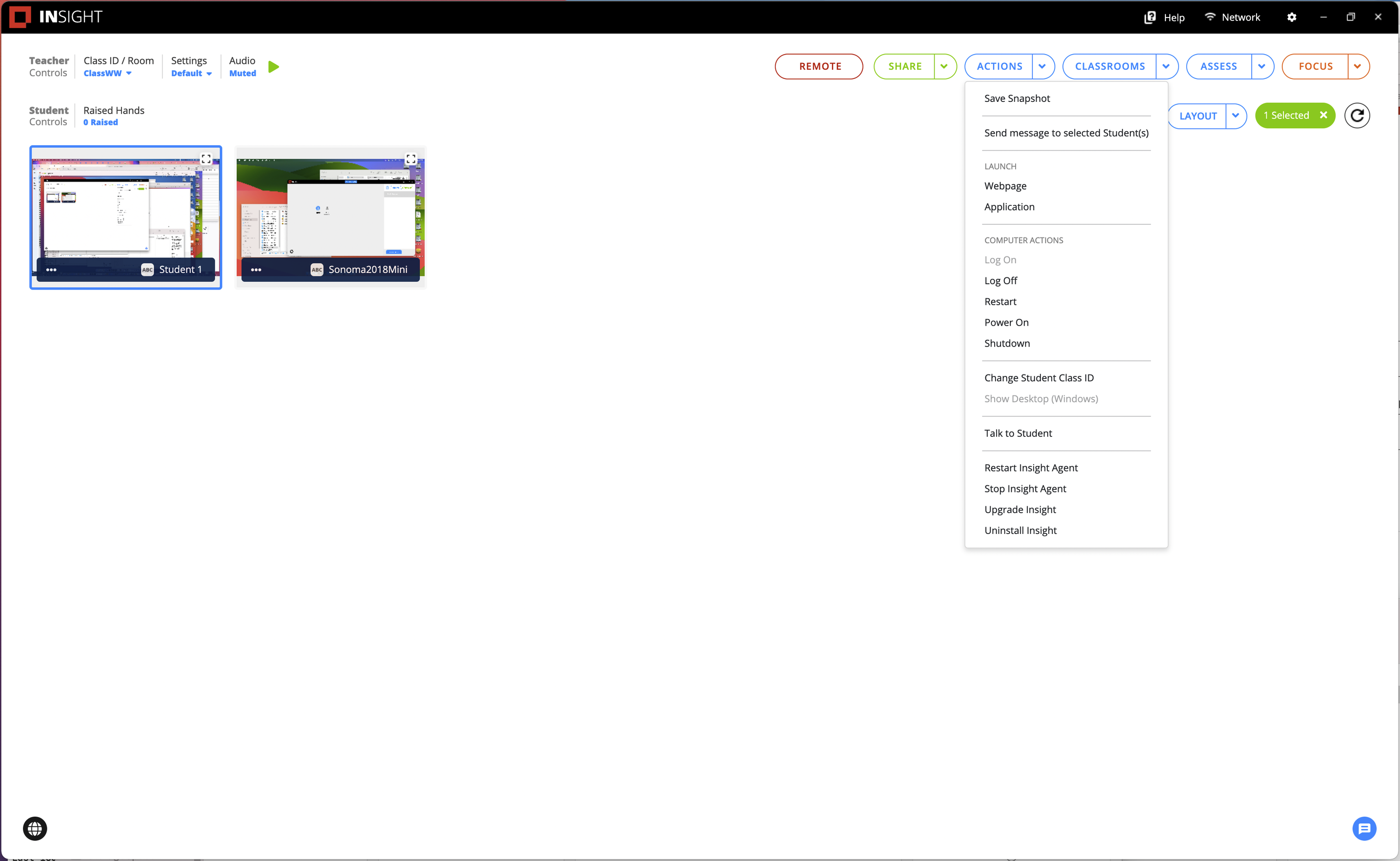
1. Sélectionnez au moins un élève.&#x20;
2. Cliquez sur *Actions*.&#x20;
3. Choisissez l'option *Lancer l'application*.&#x20;
4. Saisissez le chemin d'accès de l'application (par exemple : `C:\Windows\System32\Notepad.exe`) ou sélectionnez dans la liste des applications.

   <div data-gb-custom-block data-tag="hint" data-style="info" class="hint hint-info"><p>Un chemin d'accès d'application saisi manuellement ne sera pas sauvegardé. Pour sauvegarder un chemin d'accès d'application, consultez la section <a href="/pages/pm3edogqT7XWU7DFJmk7">Gérer les applications</a>.</p></div>
5. Cliquez sur *Lancer*.

<div align="left"><figure><img src="/files/yNRZRMocgwVkYEzqRg3o" alt=""><figcaption></figcaption></figure></div>

### Vue Élève

L'application se charge sur l'ordinateur des élèves.

<figure><img src="https://lh5.googleusercontent.com/NzuwJWb_KmA-RqMFyPqNLnh7uYrpSLwV-WkgxHIrzIqc4-QkkEipdubRTfEp3Mvapq2X1pKtFEDYzfY6MHaCMH2b7y206Hh4soCYjP94NEngynlrmx3Kbh7r-AfYGCRdUJL3UONmCg3oi7ZcXwiVaw" alt=""><figcaption><p>Lancement de l'application Bloc-notes sur l'ordinateur des élèves</p></figcaption></figure>

### Vue Enseignant

La carte des élèves sera mise à jour pour afficher l'application exécutée sur la console de l'enseignant.

<figure><img src="https://lh4.googleusercontent.com/KF3izLo7cukboSVd0ws2tOYw7_Crt_7TJApQgzQ_6KdNJuUvZLLjoi4Nrv0DsviMo_CgrhtpsANrSkmtVcjtSN2TThaeTeoxKhyLsfnVvZ2YpkyQLjr6Znrz8-ydsk2fAU6L7Zv_atcl8eT9FjUWjw" alt=""><figcaption><p>Vue de l'enseignant sur les ordinateurs des élèves après Lancement de l'application Bloc-notes</p></figcaption></figure>


---

# Agent Instructions: Querying This Documentation

If you need additional information that is not directly available in this page, you can query the documentation dynamically by asking a question.

Perform an HTTP GET request on the current page URL with the `ask` query parameter:

```
GET https://docs.faronics.com/faronics-insight-docs/french/utiliser-faronics-insight/la-console-teacher-dinsight-teacher/actions/lancer-lapplication.md?ask=<question>
```

The question should be specific, self-contained, and written in natural language.
The response will contain a direct answer to the question and relevant excerpts and sources from the documentation.

Use this mechanism when the answer is not explicitly present in the current page, you need clarification or additional context, or you want to retrieve related documentation sections.