> For the complete documentation index, see [llms.txt](https://docs.faronics.com/faronics-insight-docs/llms.txt). Markdown versions of documentation pages are available by appending `.md` to page URLs; this page is available as [Markdown](https://docs.faronics.com/faronics-insight-docs/french/utiliser-faronics-insight/la-console-teacher-dinsight-teacher/actions/enregistrer-linstantane.md).
# Enregistrer l'instantané
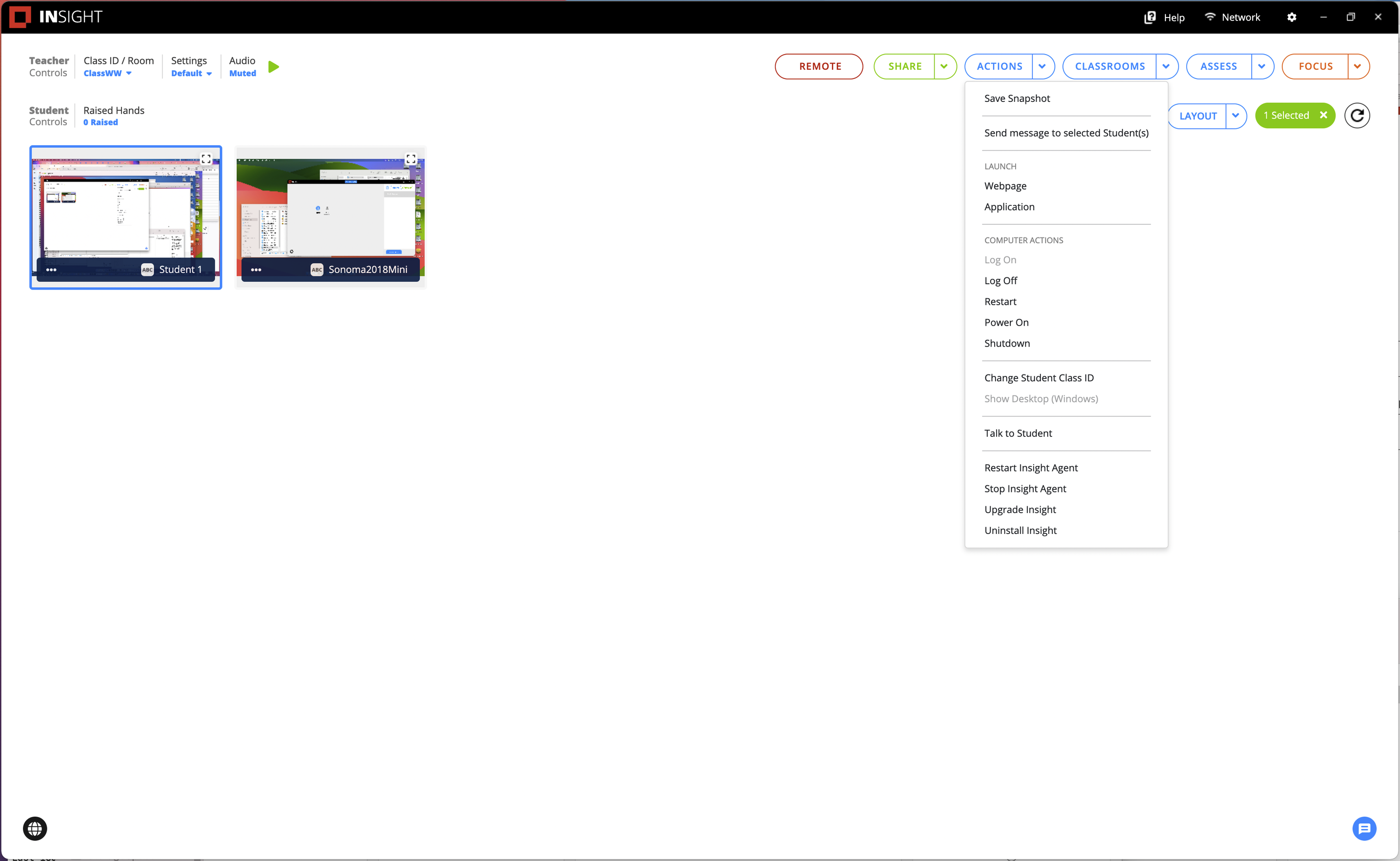
Cette action prendra une capture d'écran de l'écran de l'élève à ce moment-là, qui peut être sauvegardée sous forme de fichier .jpg à l'emplacement spécifié par l'enseignant.
1. Sélectionnez au moins un élève.
2. Cliquez sur *Actions*.
3. Cliquez sur *Enregistrer l'instantané* puis indiquez l'emplacement où sauvegarder les images.
{% hint style="info" %}
Une image instantanée individuelle est créée pour chaque ordinateur de vos élèves qui a été choisi. Par exemple, si 2 ordinateurs d'élèves sont choisis, 2 instantanés seront créés, un pour chaque ordinateur d'élève.
{% endhint %}
Image instantanée pour chaque ordinateur de vos élèves