# 学生信息

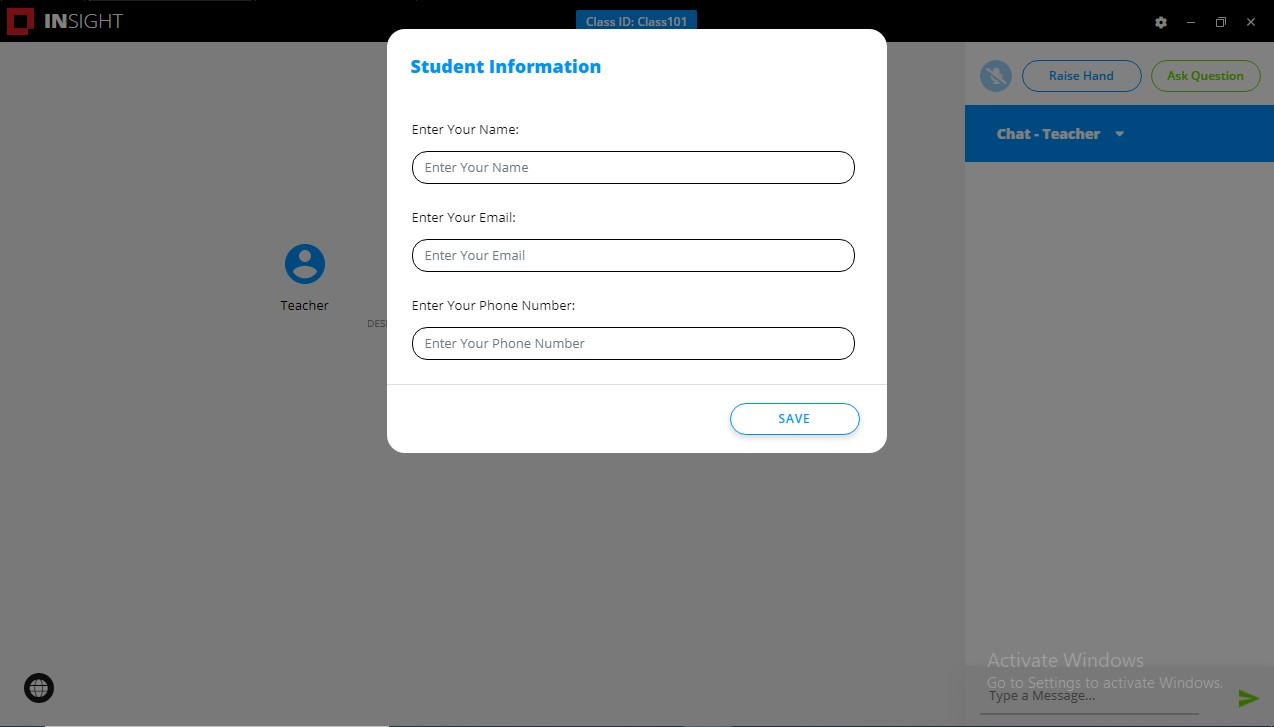
启用后，此选项会提示学生在课堂开始时提供学生姓名，电子邮件地址，电话号码。

<figure><img src="/files/dfex4qy83aKANlcbBbGo" alt=""><figcaption></figcaption></figure>

* 单击左侧菜单中的"学生信息"。
* 选择"课堂开始时，提示学生填写信息"。
* 选择"提示学生设置姓名/电子邮件地址/电话号码"，然后选择需要学生提供的以下任意或所有选项：
  * 学生姓名 – 这是在教师控制台上，学生计算机缩略图视图上显示的姓名。
  * 电子邮件地址
  * 电话号码
* 单击"保存"或"保存并应用"。

学生计算机将弹出一个窗口，学生需要在此窗口中填写必填信息。

<figure><img src="/files/0ug25tJl8bLXrtiSWvHL" alt=""><figcaption></figcaption></figure>


---

# Agent Instructions: Querying This Documentation

If you need additional information that is not directly available in this page, you can query the documentation dynamically by asking a question.

Perform an HTTP GET request on the current page URL with the `ask` query parameter:

```
GET https://docs.faronics.com/faronics-insight-docs/chinese/shi-yong-faronics-insight/insight-teacher-kong-zhi-tai/she-zhi/xue-sheng-xin-xi.md?ask=<question>
```

The question should be specific, self-contained, and written in natural language.
The response will contain a direct answer to the question and relevant excerpts and sources from the documentation.

Use this mechanism when the answer is not explicitly present in the current page, you need clarification or additional context, or you want to retrieve related documentation sections.